 GROUP FIT STUDIO
 Plan at home.
Press play in class.
More than a timer app. Plan your class, press play, and Group Fit Studio runs the timer, cues what's next on your wrist, and plays your music — so all you have to do is teach.

Built for freestyle instructors
A timer counts. This app teaches the class with you.
Most instructors juggle three apps: a spreadsheet for the plan, a timer for the intervals, a music app for the playlist. Group Fit Studio brings all three together.
- Every round, set, rest, and transition is set before you walk in
- The class you built is what runs the room — beginning to end, no improvising
- What's now and what's next, always one glance away
Class Builder
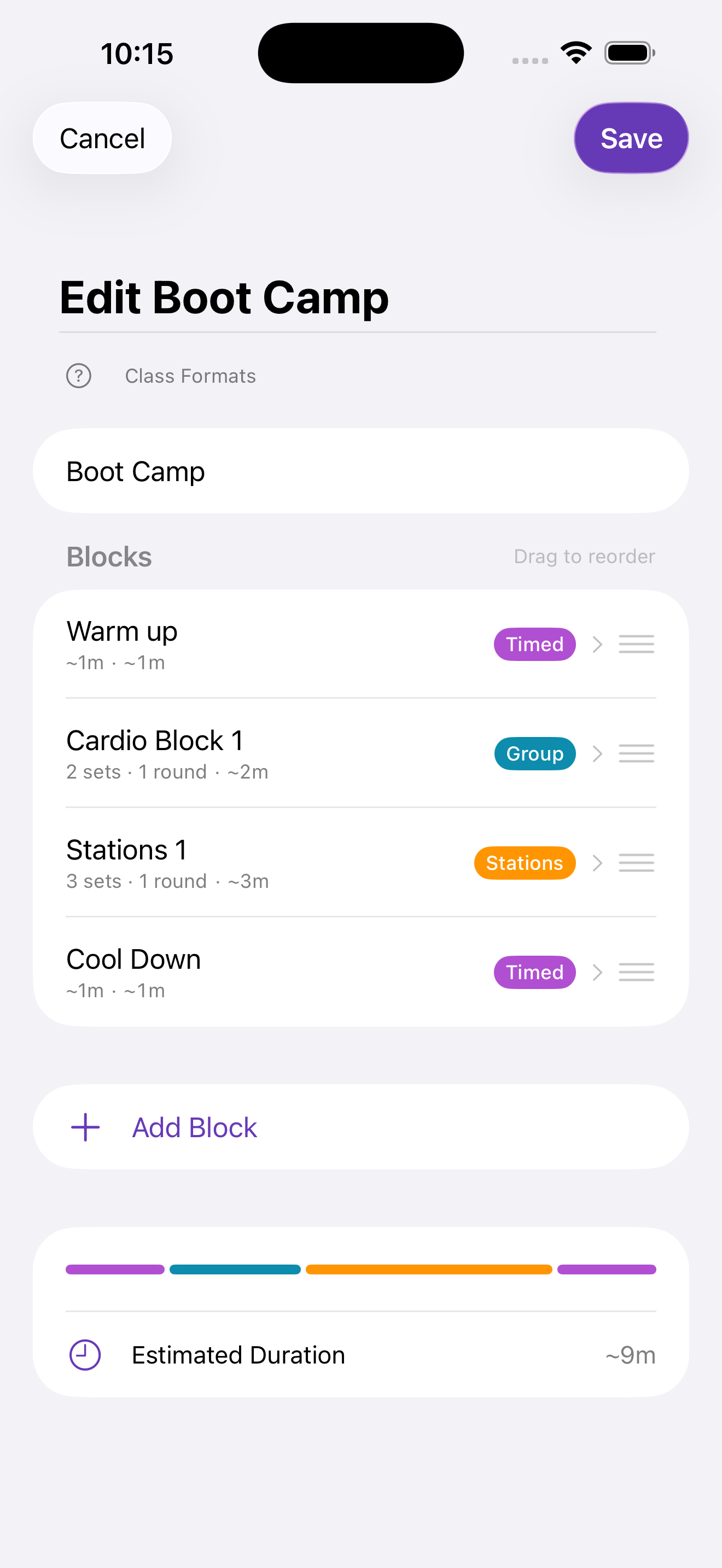
Build classes around the way you teach.
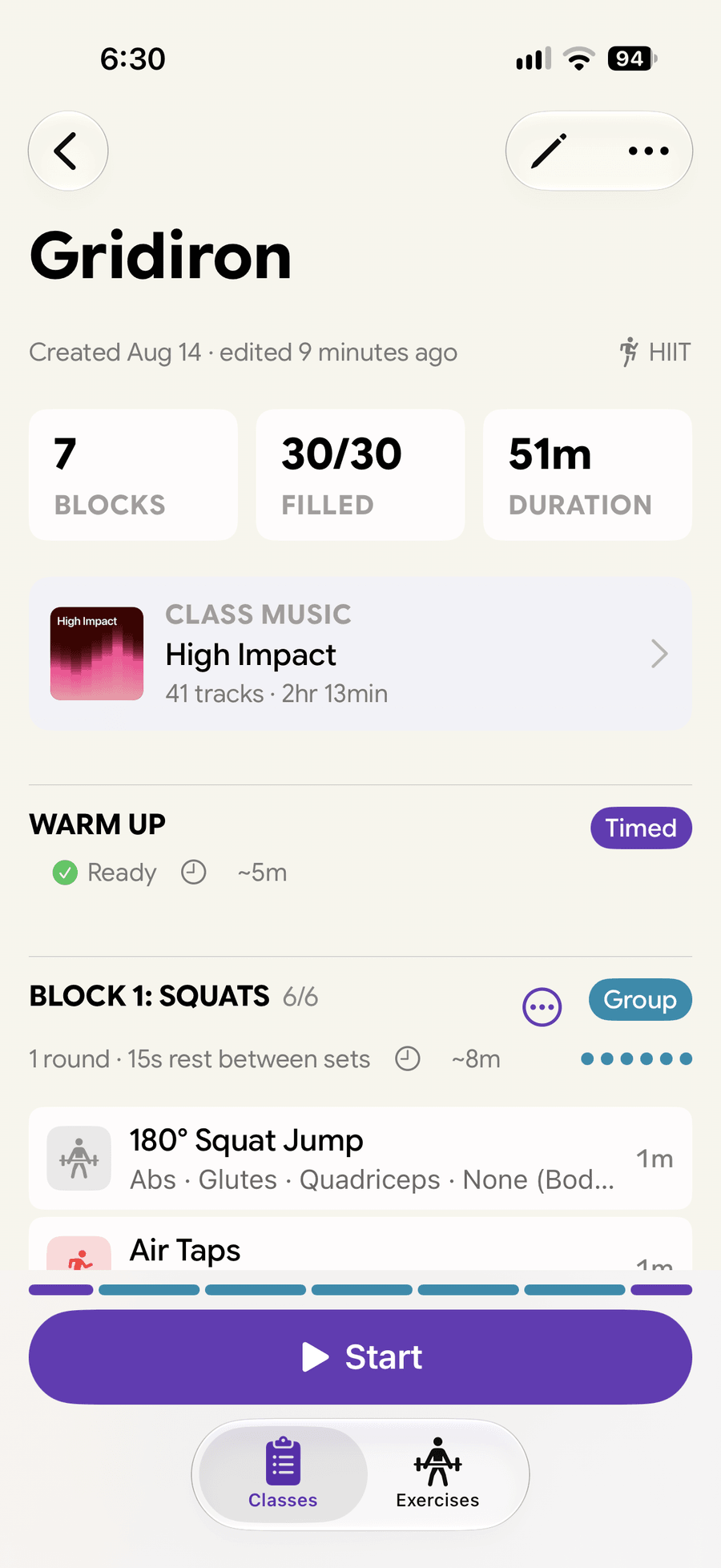
Boot Camp. HIIT. Barre. Stations. Whatever you teach, design the structure once — timed blocks, groups, stations — and reuse it every week.
- Drag-to-reorder blocks with live duration estimates
- Three block types cover every group fitness format
- Saved classes become the starting point for every week
Live Session
Lead the room, not the clock.
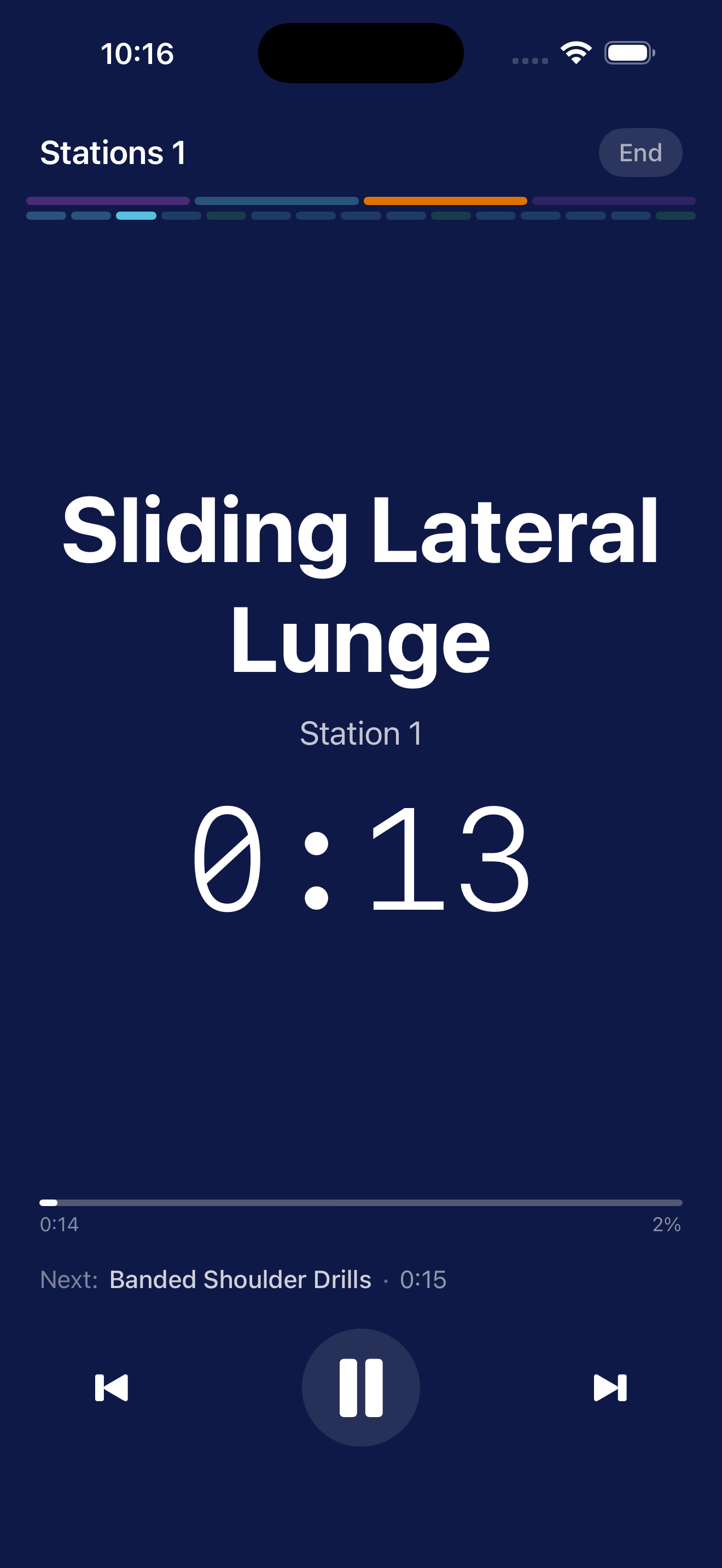
Your class rides with you to the studio — on iPhone and right onto your wrist. Tap Start and the timer runs it block by block, so your focus stays on the people in front of you.
- High-contrast full-screen timer, readable at a distance
- Automatic transitions through blocks and stations
- Pause, resume, or skip without losing your place
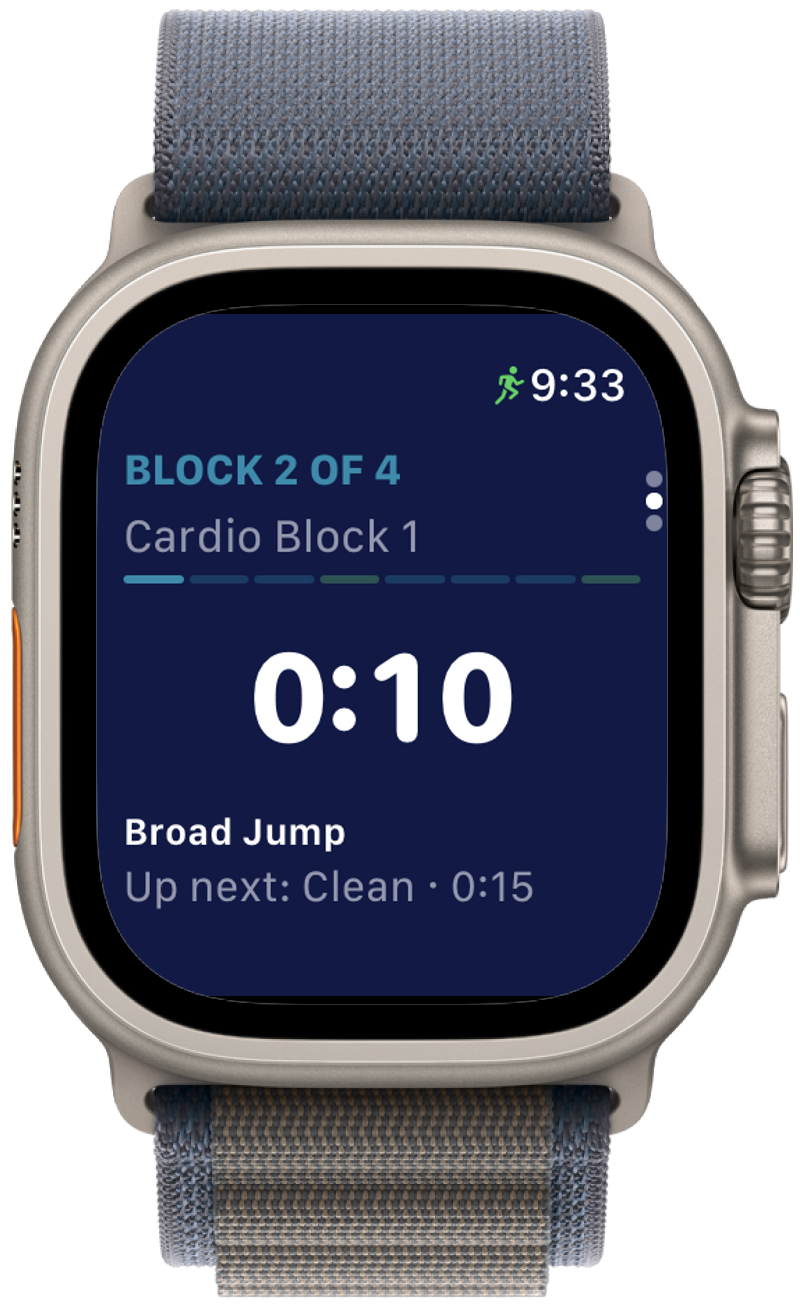
- Glance at your Apple Watch for the next exercise — no looking down at a phone
- Pair an Apple Music playlist with your class — it auto-plays when you tap Start
- Tap Start to run the class as a tracked Apple Watch workout — pick the type (HIIT, Functional Strength, and more) and see your summary when class wraps
Exercises
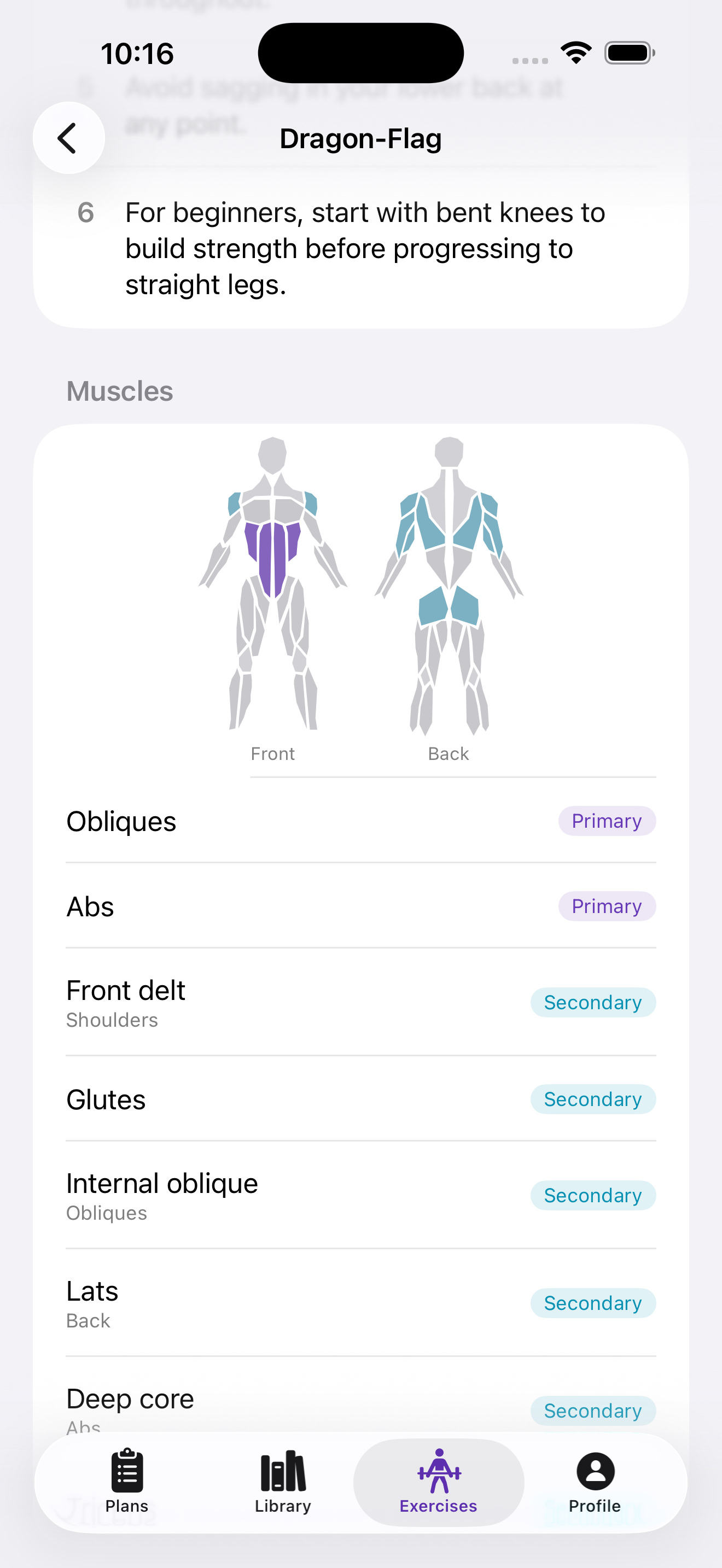
Every exercise, in depth.
900+ exercises with muscle mapping, equipment tags, and coaching cues — so you can find the right move for the right moment, and teach it with confidence.
- Filter by muscle group and available equipment
- Primary and secondary muscle targeting
- Step-by-step coaching notes for every movement
- Add your own in seconds — the best instructor-submitted moves join the shared catalog
Your Classes
All your classes, one tap away.
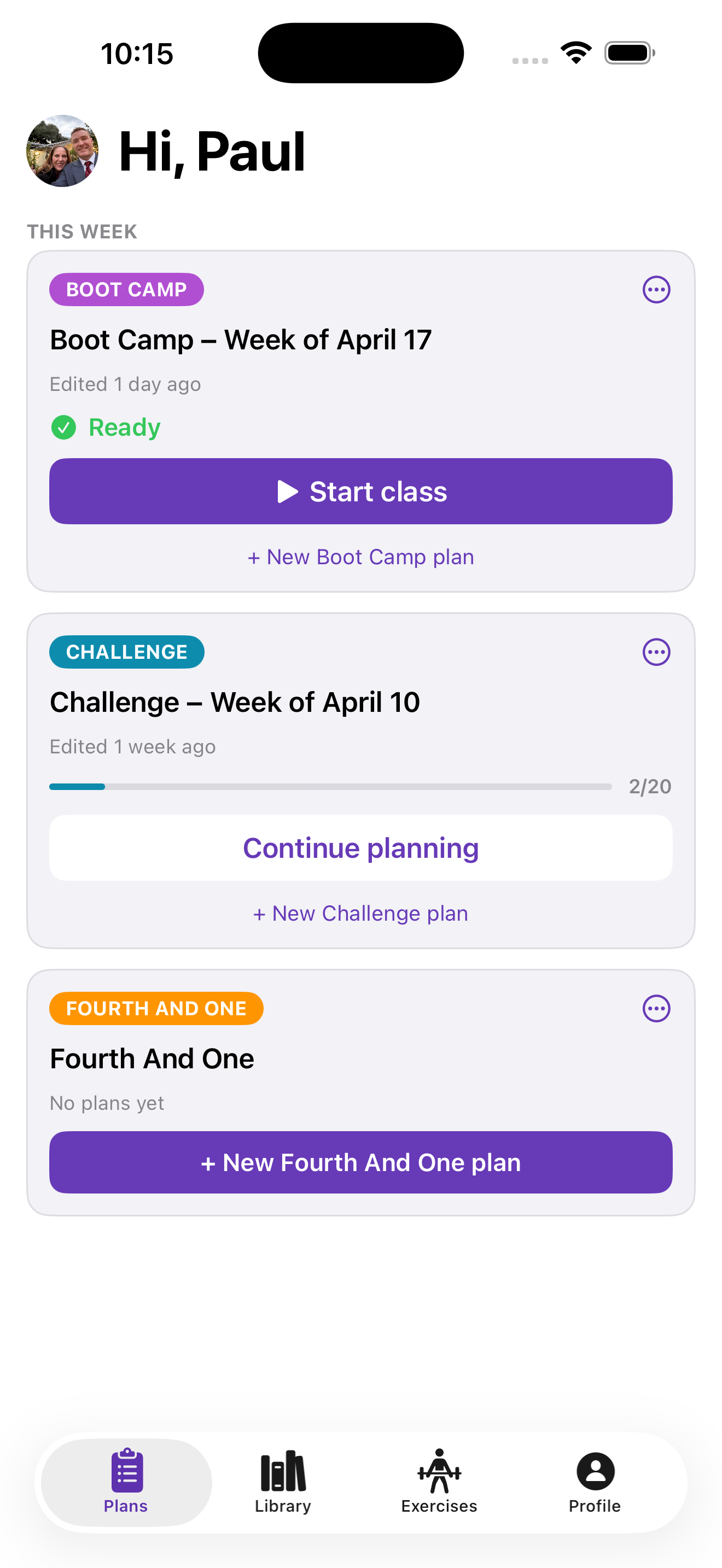
Every class you've built lives in one place, with exercise counts, run time, and how ready it is. This week's session is a tap away.
- Quick-glance run time and structure for each class
- A Ready check the moment every slot is filled
- Last week's class becomes this week's starting point
How it works
Design your class
Set up the block structure for how you teach — once.
Fill in this week's exercises
Drop exercises into each block from the catalog or your own.
Teach the class
Tap Start — the timer runs your class from front to back.
Ready to teach your best class?
Free to start. Requires iOS 26 or later. Get the app and plan your next session in minutes.
Designed by a group fitness instructor with 19 years teaching.